5 Free Digital Skills You Can Learn Without a Laptop
If your only device is an affordable Android phone, being told to “learn digital skills” can feel frustrating. A laptop costs money, mobile data isn't always cheap, and even supposedly free learning apps sometimes ask for subscriptions.
But I don't think you need to wait until you can afford better equipment. A phone is already enough to develop useful skills, provided you choose carefully.
I would start with five skills that let you create something practical rather than spend months watching tutorials.
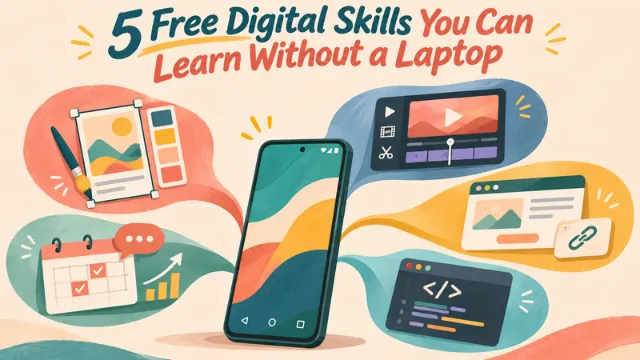
Start With Skills That Create Something Useful
For beginners, I prefer skills that produce visible results. They make it easier to practice, improve, and eventually show someone what you can do.
1. Graphic Design: Canva
You don't need expensive design software to learn composition, color, and typography. Canva's mobile app lets beginners create posters, social media graphics, and simple business menus using free templates.
I would start by designing three promotional posts for a fictional café. Experiment with different layouts instead of simply changing the text in a template.
A Philippine student on Reddit raised a familiar concern: wanting to learn graphic design without owning a computer. The discussion suggests that phones can be a starting point, even if professional work eventually requires better equipment.
2. Video Editing: CapCut or VN
Small businesses need short videos to demonstrate products, introduce services, and attract attention online.
I would practice making a 30-second product video using CapCut or VN. Learn basic cutting, captions, pacing, and sound before experimenting with complicated effects.
However, free doesn't mean unlimited. Some CapCut features require payment, while storage can become a problem on older phones. In a Reddit discussion about CapCut alternatives, users suggested VN as another option.
My advice is to choose whichever editor runs smoothly on your phone, not whichever has the longest feature list.
3. No-Code Business Pages: Linktree and WhatsApp Business
Not every business needs a complicated website.
With Linktree's free plan, you can organize important links on one page. WhatsApp Business also offers a product catalog for displaying goods and services.
Imagine helping a clothing seller organize product photos, contact details, and ordering information. This is a small but practical project you can complete without writing code.
I wouldn't call it professional web development, but learning to solve simple business problems is valuable in its own right.
Build Skills That Can Grow Beyond Your Phone
Creating content is useful. Understanding how that content reaches people—and how digital technology works—can open up more possibilities.
1. Social Media Marketing: HubSpot Academy
Posting attractive pictures isn't the same as marketing.
HubSpot Academy's free social media course introduces content strategy, audience engagement, and performance measurement.
I would apply those lessons by creating a seven-day content plan for a neighborhood restaurant. What should it post? Who might care? How would I know whether the posts worked?
Learning to answer those questions matters more than memorizing marketing terminology.
2. Basic Coding: Sololearn and Mimo
Coding is the skill I would approach with the most patience.
Apps such as Sololearn and Mimo introduce Python, HTML, and other programming basics through short lessons. Sololearn's free plan includes course content but limits some practice features.
One Reddit beginner learning Python without a computer described frustration with mobile learning tools and subscription restrictions.
I wouldn't promise that learning Python on a phone will quickly lead to a programming job. But understanding basic coding can prepare you for more advanced opportunities later.
If I had limited storage, expensive mobile data, and no laptop, I wouldn't download every app immediately.
I would choose one skill, use free lessons, and complete one small project. Download tutorials when connected to Wi-Fi, practice offline whenever possible, and keep finished work in a simple portfolio.
A good promotional poster or a well-edited video won't guarantee income. But it gives you something concrete to improve and potentially show a client.
You don't need five apps or an expensive laptop to begin. You need one useful skill and something real to show for it.

Hi! I'm Aria — someone who loves sharing everyday randomness and has an obsession with AI.I like writing about funny little things in life — weird stuff I run into while traveling, or the cool (and not-so-cool) things I've discovered while messing around with AI tools. I'm all about finding the fun in the ordinary. Stick around for the stories I've picked up along the way, and feel free to share your own too!